SEO for Small Businesses in the USA: A Practical 90-Day Guide
SEO for small businesses means making it easy for local customers to find you on Google and choose you. In practice, that comes down to six jobs: complete your Google Business Profile, fix your website’s basics, target the searches your customers really make, build one strong page for each service, earn reviews and local links, and track results every month.
Most small business owners do not need a bigger budget. They need a clear order of work. This guide gives you that order. It is written for US businesses, so it also covers rules and habits that matter here, such as Google’s profile rules, the FTC’s rule on fake reviews, and how to handle a business that travels to customers instead of seeing them in a shop.
Key facts at a glance
- Google says local results are based mainly on three things: relevance, distance and prominence. You cannot pay Google to rank higher in them.
- You can improve relevance and prominence with a complete profile, good pages, reviews and local mentions. Distance depends on where the searcher is, so you cannot change it.
- Small fixes can help within weeks. Competitive pages in big cities usually take months.
- Fake or bought reviews are now a legal risk, not just a ranking risk. The FTC’s rule on reviews took effect in October 2024.
- SEO for small businesses rewards steady work more than big budgets.
- No one can promise you the number one spot. Be wary of anyone who does.
In this guide
- Why SEO matters for US small businesses
- How Google decides who ranks
- Step 1: Set up your Google Business Profile the right way
- Step 2: Fix your website basics
- Step 3: Find the keywords your customers use
- Step 4: Build service pages, location pages and helpful articles
- Step 5: Earn reviews, citations and local links
- Step 6: Show trust and real experience
- Step 7: Get ready for AI search
- Step 8: Measure what matters
- Your 90-day SEO plan
- DIY or hire an agency?
- Common mistakes
- Illustrative scenarios
- Frequently asked questions
Why SEO for Small Businesses Matters in the USA
When someone in your town needs a plumber, a dentist or an accountant, they usually search on their phone. If your business does not appear in the first results, many of those customers never find you.
Paid ads can put you on the page quickly, but they stop the day you stop paying. SEO for small businesses builds a lasting place in the results, so calls and inquiries keep coming without paying for every click.
That is why SEO for small businesses can work so well. Local competition is rarely perfect. Many small businesses have a dated website, an unfinished Google listing and no content beyond the home page. If you fix the basics and publish genuinely helpful pages, you can overtake competitors who have been around much longer.
How Google Decides Who Ranks
SEO for small businesses does not require learning every ranking factor. You do need to understand two sets of signals.
For local results (the map and the “local pack”): Google says it looks mainly at three things.
| Factor | What it means | What you can do |
| Relevance | How well your profile matches the search | Pick the right categories, list your services, use clear descriptions |
| Distance | How far you are from the person searching | Keep your address or service area accurate. You cannot change this much |
| Prominence | How well known and trusted you are | Earn reviews, local mentions and links, and publish quality content |
For regular results (the blue links): Google looks for pages that fully answer the search, load fast, work on phones and come from a source people trust. The same pages that help you rank also help you convert visitors.
Step 1: Set Up Your Google Business Profile the Right Way
For any business that serves local customers, your Google Business Profile is usually the highest-impact SEO asset you own. It is free, and it controls how you appear in Google Maps and the local pack. Read Google’s own Business Profile guidelines before you start, because profiles that break the rules can be edited or suspended.
Decide what kind of business you are
- Storefront: customers visit you. Show your address.
- Service-area business: you travel to customers, such as a plumber or cleaner. Google says to hide your address and list the areas you serve instead.
- Hybrid: customers visit you and you also travel to them. You can show your address and list a service area.
- Online only: if you never meet customers in person, you generally do not qualify for a profile.
A service area is not a ranking radius. Adding 20 cities does not make you rank in all of them. Google still weighs relevance, distance and prominence, and distance is measured from your real location.
Complete every section
- Claim and verify your profile so you control it.
- Use your real business name. Google says the name must match what customers see in the real world. Do not add keywords, city names or promotions to it. Doing so can get the profile suspended.
- Choose the best primary category that matches your main service, then add a few accurate secondary categories.
- Add your hours, phone number, website and service area. Use a local phone number if you can.
- List your services and write a short description in plain language.
- Upload real photos of your work, team and location, and add new ones regularly.
- Post updates such as offers, news or recent projects.
- Check it monthly, because customers and others can suggest edits.
Step 2: Fix Your Website Basics
Google cannot rank what it cannot read. Before you write new content, check these foundations.
- Mobile friendly. Most local searches happen on phones. Google indexes the mobile version of your site, so it must work well on a small screen.
- Fast. Aim for Google’s “good” Core Web Vitals: the main content loading in 2.5 seconds or less, a response to taps in 200 milliseconds or less, and little or no layout shifting. Compress images and remove heavy scripts.
- Secure. Use HTTPS on every page, with no browser warnings.
- Indexable. Make sure you have not blocked search engines by mistake in your settings or robots file, and that important pages do not carry a “noindex” tag.
- One clear H1 per page that says what the page is about.
- Unique titles and descriptions. Write each page’s title tag (about 50 to 60 characters) and meta description (about 150 to 160 characters) for people first.
- A sitemap in Google Search Console. This helps Google find new pages faster.
- Clear contact details on every page. Show your phone number, a contact button and your business hours.
- Basic accessibility. Add alt text to images, use readable colors and make menus work with a keyboard. It helps all visitors and can reduce legal risk. Ask a qualified adviser about your obligations.
Add structured data
Structured data helps Google understand your business. Here is a simple example for a local business. Replace every value with your own details, and test it with Google’s Rich Results Test before you publish.
{
“@context”: “https://schema.org”,
“@type”: “LocalBusiness”,
“name”: “Your Business Name”,
“url”: “https://www.example.com/”,
“telephone”: “+1-555-555-5555”,
“address”: {
“@type”: “PostalAddress”,
“streetAddress”: “123 Main St”,
“addressLocality”: “Your City”,
“addressRegion”: “TX”,
“postalCode”: “00000”,
“addressCountry”: “US”
},
“openingHours”: “Mo-Fr 08:00-17:00”
}
If you are a service-area business and hide your address on Google, do not publish a street address you do not want shown.
Step 3: Find the Keywords Your Customers Use
SEO for small businesses rewards being specific. A phrase like “plumber” is dominated by huge directories. A phrase like “emergency plumber in Austin” or “family dentist in Columbus, Ohio” is searched by real customers who are ready to act, and it is far easier to rank for.
How to build your keyword list for free
- List your services. Write each one as a customer would say it.
- Add your places. Combine each service with the cities and neighborhoods you truly serve.
- Add buyer words. Examples are “cost,” “near me,” “emergency,” “same day,” “best,” “reviews” and “free estimate.”
- Use Google’s own suggestions. Type a service into Google and note the autocomplete ideas and the “People also ask” questions.
- Check Google Search Console. It shows queries you already appear for, including ones you did not plan.
- Try Google Keyword Planner. It is free with an Ads account and gives ranges for search volume.
Match each keyword to one page
Use one main keyword per page and write the page to fully answer that search. Do not repeat the same phrase in every sentence. Google understands natural language, and readers can tell when a page was written for a machine.
| Search | Page type | Example page |
| emergency plumber in Austin | Service page | /emergency-plumbing/ |
| water heater repair cost | Helpful article | /water-heater-repair-cost/ |
| plumber in Round Rock | Location page (only if you truly serve it) | /plumber-round-rock/ |
| how to find a burst pipe | Helpful article | /how-to-find-a-burst-pipe/ |
If two pages target the same keyword, they compete against each other. Merge them or give each a different focus.
Step 4: Build Service Pages, Location Pages and Helpful Articles
One page for every service
A single “Services” page that lists ten offerings in one paragraph gives Google nothing specific to rank. Give each main service its own page. A strong service page includes:
- A clear H1 with the service and place, such as “Emergency Plumbing in Austin, TX”
- A direct opening that says what you do and who it is for
- What is included, how the process works and what affects the price
- Proof such as photos, reviews, licenses, certifications and guarantees
- Answers to common questions
- A clear call to action near the top and the bottom
- Links to related services and articles
Location pages: do them honestly
If you serve several towns, a page for each can help, but only when each one has real, unique content: jobs you have done there, local details, local reviews, directions or parking if people visit. Copying the same text and changing the city name is what Google calls a doorway page, and it can hurt you. Create location pages only for places you genuinely serve.
Helpful articles that win trust
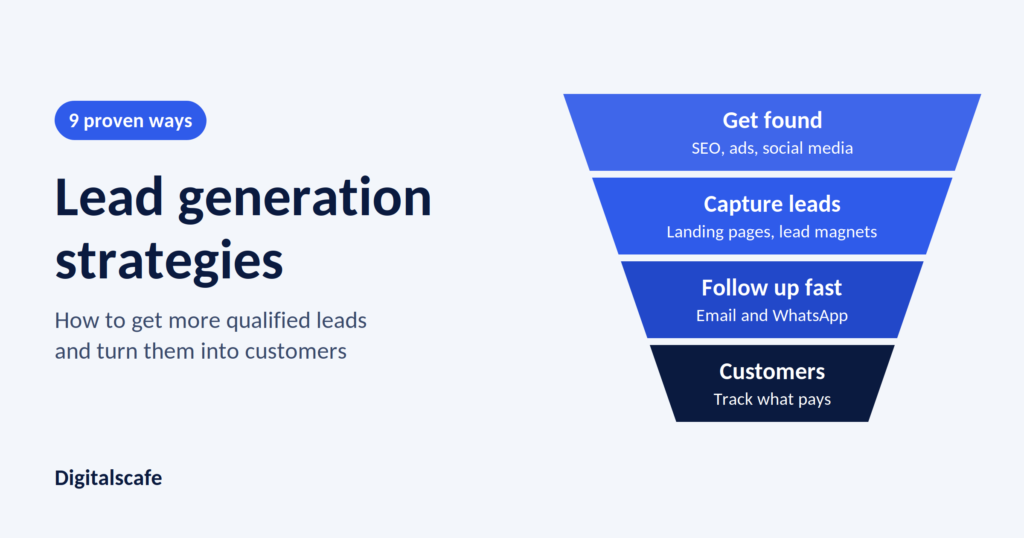
Publish articles that answer what customers ask before they buy: how things work, what to check, how to choose a provider, what mistakes to avoid and what things cost. Even one or two a month adds up. Articles attract searchers, and service pages turn them into customers. The same pattern drives our guide to lead generation strategies, which shows how to turn that traffic into inquiries.
Step 5: Earn Reviews, Citations and Local Links
Reviews
Reviews influence your Maps ranking, and they persuade the person comparing you with two other businesses on the screen.
Do: – Ask every customer for a review at a natural moment, such as right after the job is done. – Send a direct link to your review page by text or email. – Reply to every review, good and bad, in a calm and professional way. – Respond to problems quickly, and show that you fixed them.
Do not: – Buy reviews or write them yourself. – Have staff, family or friends post reviews without disclosing the relationship. – Pay for positive reviews only. – Pick and choose who you ask, or discourage unhappy customers from posting. Google’s policies prohibit selectively soliciting positive reviews. – Threaten customers to remove a negative review.
The FTC’s rule on consumer reviews took effect on October 21, 2024. It bans fake reviews, buying reviews, certain insider reviews without disclosure and review suppression, and it lets the agency seek civil penalties of up to nearly $52,000 per violation, adjusted yearly. It does allow general requests to customers to leave reviews. Read the FTC announcement and ask a lawyer if you are unsure.
Citations (your business details across the web)
A citation is a mention of your business name, address and phone number on another site. Keep them identical everywhere, because inconsistencies confuse Google about which listing is yours. Good US sources include:
- Apple Business Connect and Bing Places for Business
- Yelp and Facebook
- Better Business Bureau and your local chamber of commerce
- Industry directories and licensing boards in your trade
- Supplier and manufacturer “find a dealer” pages
Local links
Links from other websites are still a strong signal of trust. For a small business the realistic sources are local:
- Sponsorships of youth teams, charities and community events
- Local news stories and press releases about real news
- Partner businesses and suppliers
- Local blogs and associations
- Guest articles or interviews in local publications
Do not buy cheap packages of hundreds of backlinks. Google’s spam policies target link schemes, and low-quality links can do more harm than good.
Step 6: Show Trust and Real Experience
Google wants to send people to sources they can trust, so trust is part of SEO for small businesses. You can show it on your site:
- Add your license, insurance and certifications. Many US trades and professions are licensed, so say so.
- Show real photos of your work and team, not only stock images.
- Add short bios for the people who do the work.
- Publish case studies with before-and-after details you have permission to share.
- Display reviews and ratings with links to the source.
- Include clear about, contact, privacy and policy pages.
- Write from first-hand experience. Say what you have seen on real jobs.
Step 7: Get Ready for AI Search
More people now ask AI tools and AI features in search for local recommendations. Google says its AI features, such as AI Overviews and AI Mode, do not require special extra optimization. Pages must be indexed and eligible to appear in Search with a snippet, and normal SEO best practices still apply. You can read the details in Google’s guide to AI features and your website.
What helps:
- Clear pages that answer questions directly, with short answers first and details after
- Consistent business details across your site, profile and directories
- Real reviews and mentions from trusted places
- Structured data for your business, services and FAQs
- A fast site that search engines and tools can read
No one can guarantee that an AI tool will mention you. Good SEO for small businesses is still the best preparation.
Step 8: Measure What Matters
You cannot improve what you do not track, and good SEO for small businesses depends on a few free tools. Set them up in the first week:
- Google Search Console shows which searches bring impressions and clicks, and which pages need work.
- Google Analytics 4 shows visits and actions such as form submissions.
- Google Business Profile performance shows calls, direction requests and website clicks.
- Call tracking and form tracking show which pages bring real inquiries.
Review these numbers once a month:
| Metric | Why it matters |
| Calls, form fills and direction requests | These are your real results |
| Search Console clicks and impressions | They show growth in visibility |
| Rankings for your main local keywords | They show progress on target searches |
| Number and rating of new reviews | They influence trust and Maps ranking |
| Pages that bring inquiries | They show what to build more of |
| Leads that became customers | They show whether SEO pays |
Judge SEO month by month, not week by week. Rankings move up and down in the short term.
Your 90-Day Plan for SEO for Small Businesses
Follow this plan for three months before you judge your results.
| Period | Focus | What to complete |
| Weeks 1 to 2 | Foundations | Claim and complete your Google Business Profile, set up Search Console and Analytics, run a basic site check and fix major errors |
| Weeks 3 to 4 | Pages | Write or improve your top three service pages, add clear contact buttons and publish structured data |
| Month 2 | Trust | Start a simple review process, clean up citations, add proof to your pages and publish two helpful articles |
| Month 3 | Growth | Add location pages where you truly serve, earn two to three local links, improve pages that rank on page two and review your numbers |
After 90 days, keep a monthly rhythm: publish, update, ask for reviews and check your results.
How Long Does SEO for Small Businesses Take?
It depends on your market, your starting point and how steadily you work. Fixing your Google Business Profile and technical basics can improve visibility within weeks. Ranking competitive service pages in a big city usually takes months. Businesses that publish consistently and keep their pages and listings in good shape see steady growth. Businesses that do nothing stay invisible.
Anyone who promises the number one spot next week is selling something, not doing SEO.
DIY SEO for Small Businesses or Hire an Agency?
You can do these yourself: claiming your profile, asking for reviews, replying to reviews, uploading photos, fixing basic page titles and writing helpful answers about your own work.
An agency or specialist can save time with: technical audits, keyword strategy, content planning, structured data, link building, reporting and fixing penalties or hacks.
Questions to ask before you hire anyone:
- What will you do in the first 90 days?
- How will you measure results, in calls and customers or only rankings?
- Will I own my website, Google profile and analytics accounts?
- How do you earn links and reviews? Do not accept purchased ones.
- Can I see examples and speak to a past client?
- What does it cost, and what is included each month?
Red flags: guaranteed rankings, secret methods, refusing to share reports, buying links in bulk, long contracts with no clear deliverables and pressure to decide quickly.
Common Mistakes in SEO for Small Businesses
These mistakes slow results more than any algorithm change.
- Having a nice website but no service pages. Google needs specific pages to rank. Build one for each main service.
- Copying the same text across location pages. It creates thin duplicate pages that can hurt you.
- Setting up Google Business Profile once and forgetting it. Update photos, posts and hours, and answer reviews.
- Adding keywords to your business name on Google. It breaks the rules and risks suspension.
- Buying cheap links or reviews. It can lead to penalties and, for reviews, legal trouble.
- Judging results week by week. Look at monthly trends.
- Hiding your phone number. Put a clear phone number and contact button on every page.
- Ignoring mobile users. Test every page on a phone.
Illustrative Scenarios
These composite examples show how SEO for small businesses works in practice. They are not results from real clients.
Scenario 1: A plumber who travels to customers
A plumbing company serves several towns around Austin and has no walk-in shop. The plan hides the address on the Google profile and sets a service area. It adds a page for each main service, such as emergency repair and water heater installation, and writes honest location pages only for the towns where it has done real jobs. It asks every customer for a review after each job and replies to all of them.
Why it works: The profile follows Google’s rules for service-area businesses, and the pages match what customers search for.
Scenario 2: A family dentist with a storefront
A dentist in Columbus, Ohio has good word of mouth but a half-finished profile and one page called “Services.” The plan completes the profile with accurate categories and real photos, creates a page for each treatment, adds answers about insurance and first visits, and builds a steady review process.
Why it works: Trust signals matter greatly in health care, and clear pages answer the questions patients ask before they call.
Frequently Asked Questions
What is SEO for small businesses?
SEO for small businesses is the work of making your business easier to find on Google and other search engines. It includes your Google Business Profile, website basics, keywords, service pages, reviews, local links and tracking. The goal is more calls and inquiries from people who are ready to buy.
Is SEO for small businesses worth the cost?
Yes, especially local SEO. Your Google Business Profile is free, and a few well-built service pages can bring in inquiries for years. Start with the basics in this guide before spending money.
How do I do SEO for my small business step by step?
Claim and complete your Google Business Profile, fix your site’s basics, research local keywords, build one page per service, ask every customer for reviews, earn local links, and track results monthly. Follow the 90-day plan above.
How long does SEO take to work for a small business?
Small fixes can help within weeks. Competitive pages in big cities usually take several months. Keep working steadily and judge results month by month.
How much does SEO cost for a small business?
Costs vary with your market, competition and how much work you need. SEO is usually priced as a monthly retainer, a one-time project or an hourly rate. Ask for a written scope and a clear list of what is included, and be cautious of very cheap or guaranteed offers.
Can I do SEO myself?
Yes. The basics, such as your Google profile, reviews and tidy pages, are very doable on your own. Keyword strategy, technical fixes and steady content are where many owners run out of time, and that is when an agency can help.
What is the difference between local SEO and regular SEO?
Local SEO helps you appear for searches tied to a place, such as “dentist near me,” in Google Maps and the local pack. Regular SEO helps your pages rank in the standard results for broader topics. Most small businesses need both, with local first.
Do I need a physical address to rank on Google?
Not always. If you travel to customers and do not see them at your location, Google lets eligible service-area businesses hide their address and list service areas instead. If you do not meet customers in person at all, you generally do not qualify for a profile.
Should I put keywords in my Google Business Profile name?
No. Google says your name must match your real-world business name. Adding keywords, city names or promotions can lead to edits or suspension.
How many Google reviews do I need?
There is no magic number. Aim for steady, recent, genuine reviews, and reply to all of them. Compare yourself with the top local competitors and aim to match or beat their level over time.
Is it legal to ask customers for reviews?
Yes. General requests are fine. Do not buy or fake reviews, hide the relationship if the reviewer is an insider, or suppress honest negative reviews. The FTC’s rule on reviews carries civil penalties.
Does SEO work outside big cities?
Often it works better. Smaller towns have less competition, so a complete profile, good reviews and a few targeted pages can reach the top of local results sooner.
Do I need to worry about AI search?
You do not need a separate strategy. Google says no special optimization is required for its AI features, and strong, clear, trustworthy pages help in both. Keep your details consistent and your content helpful.
What is the biggest SEO mistake small businesses make?
Treating SEO as a one-time project. Search results, competitors and Google’s tools change, so steady monthly work beats a big push followed by months of silence.
Related Searches
- local SEO for small business
- small business SEO checklist
- Google Business Profile optimization
- how to rank on Google Maps
- SEO for service area business
- how to get Google reviews
- SEO costs for small business
- DIY SEO for small business
Key Takeaways
- Start with your Google Business Profile, and follow Google’s rules on names, addresses and service areas.
- Fix your site’s basics before you create new content.
- Target specific service-and-place searches, one main keyword per page.
- Build one strong page per service, and publish location pages only where they are honest.
- Earn real reviews from every customer and never buy or fake them.
- Track calls, forms and directions every month.
- Treat SEO for small businesses as a monthly habit, not a one-time project. Give it months, not days, and ignore guarantees.
Ready to Grow Your Visibility?
If you would rather have a team handle SEO for small businesses like yours, from technical fixes to content and reporting, talk to Digitalscafe. We will look at where your business stands in search today and tell you honestly what would move it.
- Get your free SEO and website audit
- See our digital marketing and SEO services
- Read more in our local SEO guide
Results depend on your market, competition, budget and consistency. Timelines are typical expectations, not guarantees. Scenarios are illustrative composites. Google’s guidelines and US rules change, so check current requirements and ask a qualified adviser about legal questions.